

Start Here
Welcome to Moonstone
Moonstone is a personal knowledge app you open in any browser. Your notes are plain Markdown, and they are yours.
3 min readWhy Moonstone exists
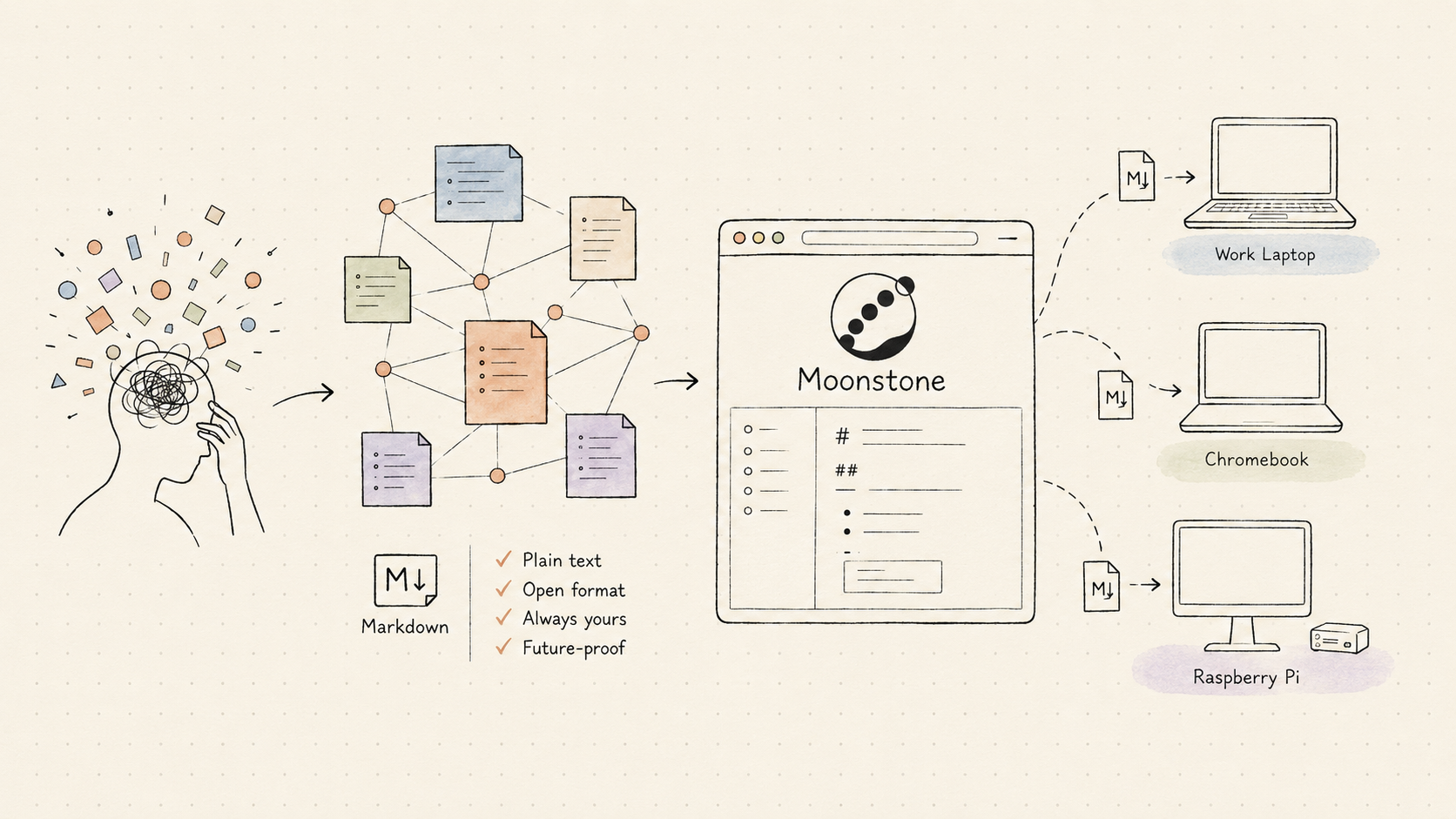
For professionals that work with a lot of new knowledge everyday, you need a way to manage your network of thoughts to keep your sanity. Obsidian helps with this beautifully and had been adopted worldwide to become one of the most popular note taking app.
Obsidian promised that we own our note. The notes are plain Markdown file. Obsidian just shows the note to us, it never see them or process them. While this is a beautiful philosophy, it also mean that they would never create a web app for the application.
This is where Moonstone steps in. Whether you need to access your note on a corporate laptop, a Chromebook, a Rasberry Pi, Moonstone will let you have the liberty to read and write anywhere.
Same notes, same files, with zero installation. That's the whole idea.
For Obsidian users
You should feel right at home. Moonstone speaks the same language: Markdown files, wikilinks, backlinks, tags, frontmatter properties, templates, and a graph view. Your existing habits carry over.
Best of all, you do not have to move your notes. With Bridge Mode you can connect Moonstone straight to the cloud folder your Obsidian vault already syncs to — Google Drive, OneDrive, or Dropbox — and edit those same files in the browser. Nothing is copied into a walled garden; the files stay where they are.
For new users
Never used Obsidian or another PKM app? You do not need to. Moonstone works perfectly well as your first note taking app.
Moonstone is designed to be gentler for beginners. You can start by just writing, ignore the advanced features until they are useful, and pick up links, tags, and templates one at a time as your notes grow.
Ready to start
Excited? Write your first note in just a minute with our Quick start guide.